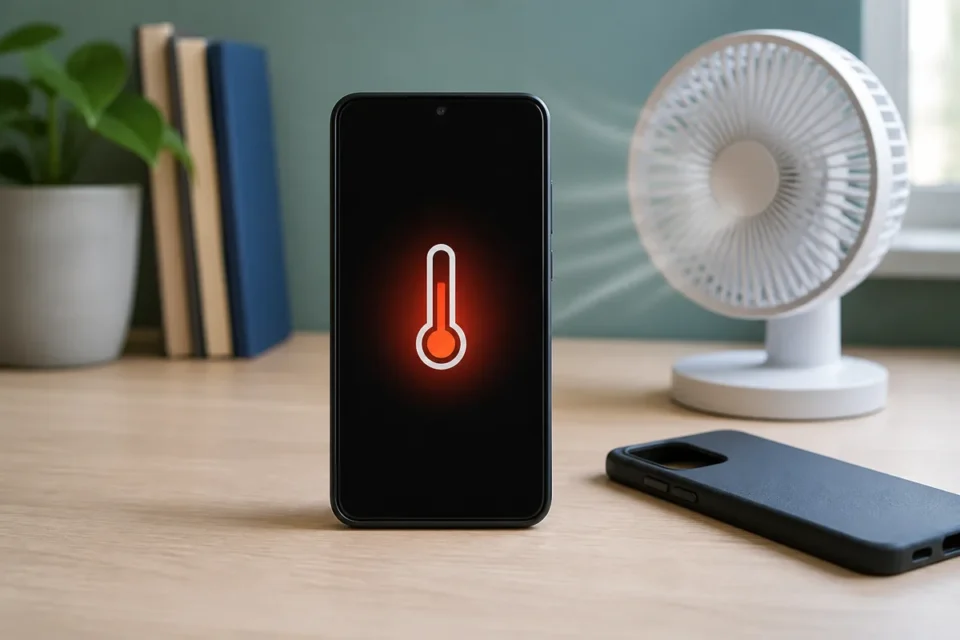
Quick answer: for phone overheating, stop demanding apps, unplug the charger, remove the case and move the phone out of sunlight to a ventilated room. Let it cool naturally. Never put it in a fridge or freezer, and stop using it if it is painful to touch, swollen, smoking or producing an unusual smell.
Moderate warmth during an update, game, high-resolution video, GPS navigation or wireless charging can be normal. It becomes concerning when a temperature warning appears, charging repeatedly stops, the phone shuts down, or it becomes very hot while idle. The safest approach is to identify exactly when the temperature rises and remove one cause at a time.
Work out when and why the phone gets hot
Observe the phone for fifteen to thirty minutes before changing every setting. The pattern helps separate ambient heat, a demanding app, poor signal, charging equipment and an ageing battery.
- Does it become hot only while charging, or also when disconnected and idle?
- Does heat begin in one app, the camera, GPS, mobile hotspot, gaming or 5G use?
- Is the phone in sunlight, a parked car, under bedding or inside a heavily insulated case?
- Is there a temperature warning, dim display, paused charging, shutdown or swollen battery?
Phone overheating: 10 safe fixes
1. Stop demanding activities
Pause gaming, 4K recording, video calls, navigation and hotspot use. Lock the screen and let the phone rest. These tasks can use the processor, display, camera and radios at the same time, especially if the device is charging.
2. Unplug the charger
If heat rises during charging, disconnect the power adapter and cable. Place the phone on a clear, hard surface. Stop using a cable, charger or port that becomes abnormally hot until it has been inspected.
3. Move it away from sunlight
Take the device to a room-temperature location away from windows, dashboards and heat sources. A parked car can greatly exceed the outside temperature. Allow gradual cooling rather than creating a damaging temperature shock.
4. Remove the case temporarily
A thick case can slow heat dissipation during charging or intensive tasks. Remove it while the phone cools, then make sure it is designed for the model and covers no openings. Keep the phone somewhere it cannot fall.
5. Find the app using excessive power
Open Battery usage and look for an app with unusual activity. Close and update that app, then test again. Constantly force-closing every app is not necessary; focus on the item that is genuinely consuming abnormal power.
6. Restart after the phone cools
A restart ends stuck processes, repeated syncing and radio services that may run continuously. Wait until the phone reaches a normal temperature, restart it and observe it before reopening all of your usual apps.
7. Reduce brightness and radio workload
Lower screen brightness, stop hotspot sharing and end navigation when no longer needed. In weak coverage the phone can work harder to maintain a connection. Use reliable Wi-Fi or change location when practical.
8. Install official updates
Update the operating system and apps after the device cools and has sufficient battery. Updates can repair processing loops and power-management bugs. Some indexing after a major update may temporarily produce warmth, which should settle.
9. Check the charger and wireless pad
Use a compatible charger and undamaged cable from a trusted source. Remove metal objects between the phone and wireless pad. If another known-compatible charger prevents excessive heat, stop using the suspect accessory.
10. Seek diagnostics for repeated overheating
If the phone heats while idle, repeatedly shuts down or frequently displays a warning, back up important data and contact the manufacturer. A worn battery, damaged port or internal fault needs professional inspection rather than a cooling app.
What if the phone is too hot to touch?
Disconnect power if it is safe, switch the phone off and put it on a non-flammable surface in a ventilated area away from combustible material. Do not puncture, bend, wet or ice it. A lifting screen, swollen battery, smoke or unusual smell means the phone must not be charged again and needs urgent professional handling.
Frequently asked questions
Is warmth during charging normal?
Mild warmth can be normal, especially with fast or wireless charging. Painful heat, repeated warnings, a very hot cable or charging that constantly stops needs investigation.
Can I put the phone in a refrigerator?
No. Rapid cooling can create condensation and damage internal parts. Turn it off and leave it in a shaded, ventilated, room-temperature location.
Can a bad battery cause overheating?
Yes, but apps, signal, chargers and ambient temperature are also common. Swelling or persistent heat while idle requires professional inspection.
Official sources
- Apple Support — temperature management
- Google Pixel Help — phone too warm
- Google Pixel Help — temperature diagnostics
Next guide: phone battery draining fast: diagnosis and practical fixes
What to read next
These related guides may also help: